How to implement a strategy on Exceefy
Easily create and manage your sales strategies for several assets, with profit taking and automatic orders.
A strategy allows you to easily view and manage the sale of several assets, by applying key principles such as DCA (Dollar-Cost Averaging) or percentages of profit taking.
Create a strategy:
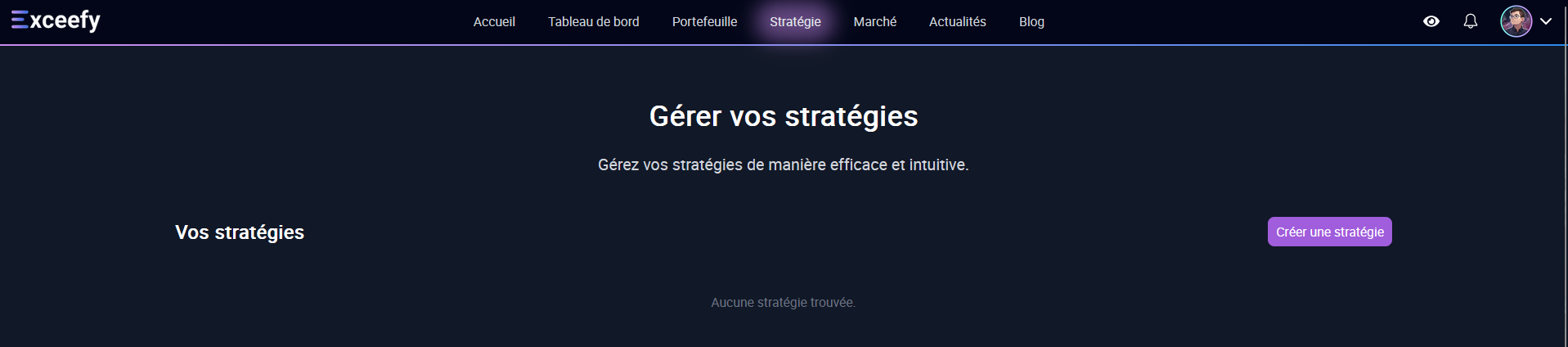
- Visit the strategy tab, then click Create a strategy.
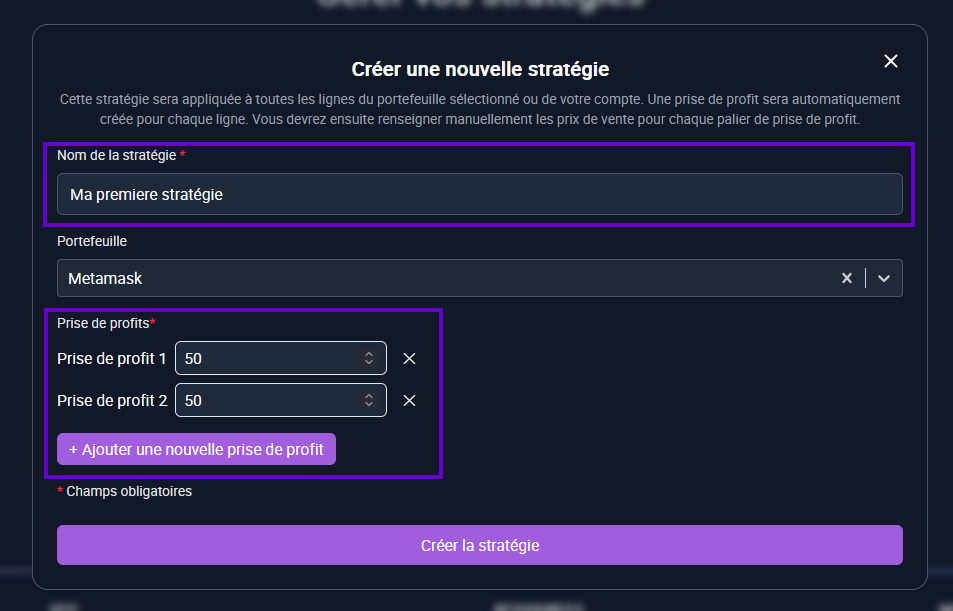
- Fill out the form:
Name: For example MA First strategy.
Wallet: Select a specific wallet or leave empty to apply to all your wallets.
Add the different profit taking by clicking on Add a new profit taking (eg 25%, 50%, 75%).
Click Create To access the Strategy Details.
Manage assets and profit sockets:
- All assets in your portfolio (or all portfolios) are listed with the sale price to be informed.
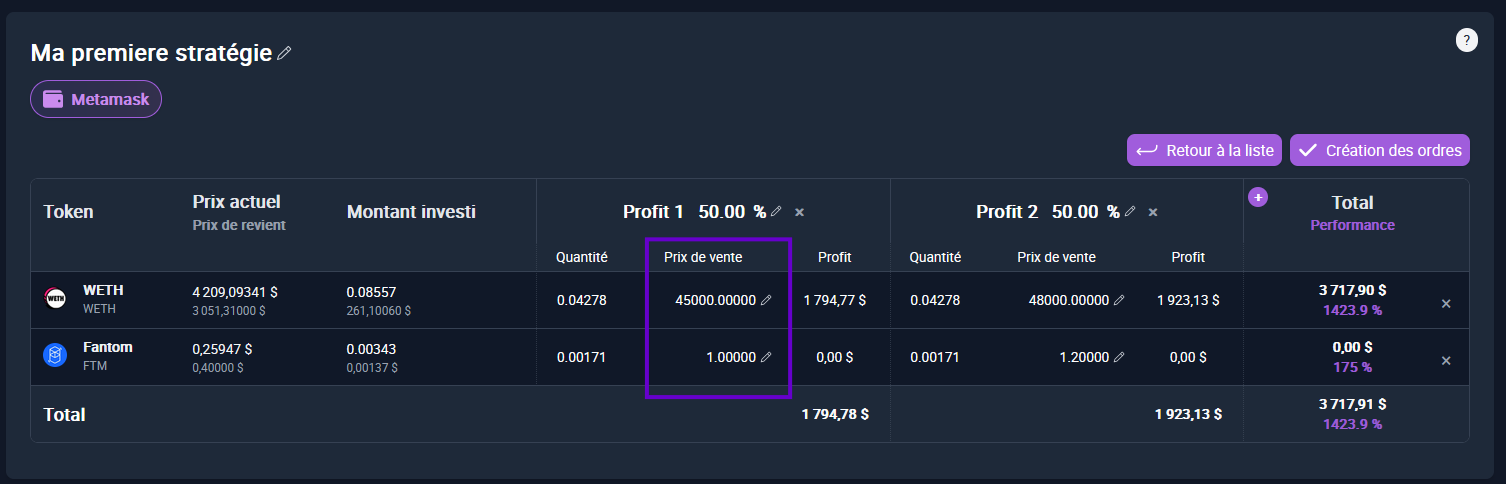
You can :
- Add, modify or remove a profit taking (e.g. go from 25% to 35%).
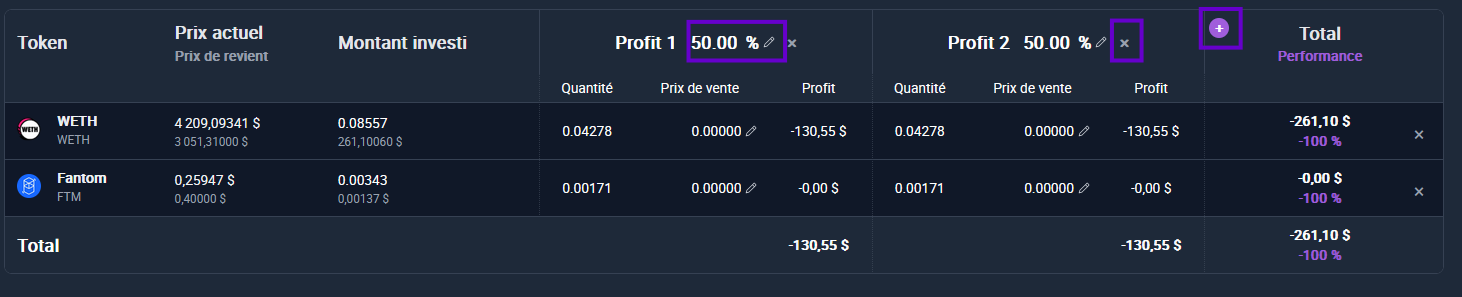
- Remove an asset line from the strategy (beware, it can no longer be reintegrated automatically)

You can view your potential performance before creating orders.
Create orders:
- Click Create orders To automatically generate all orders corresponding to profit -shaped intake in the associated wallet.
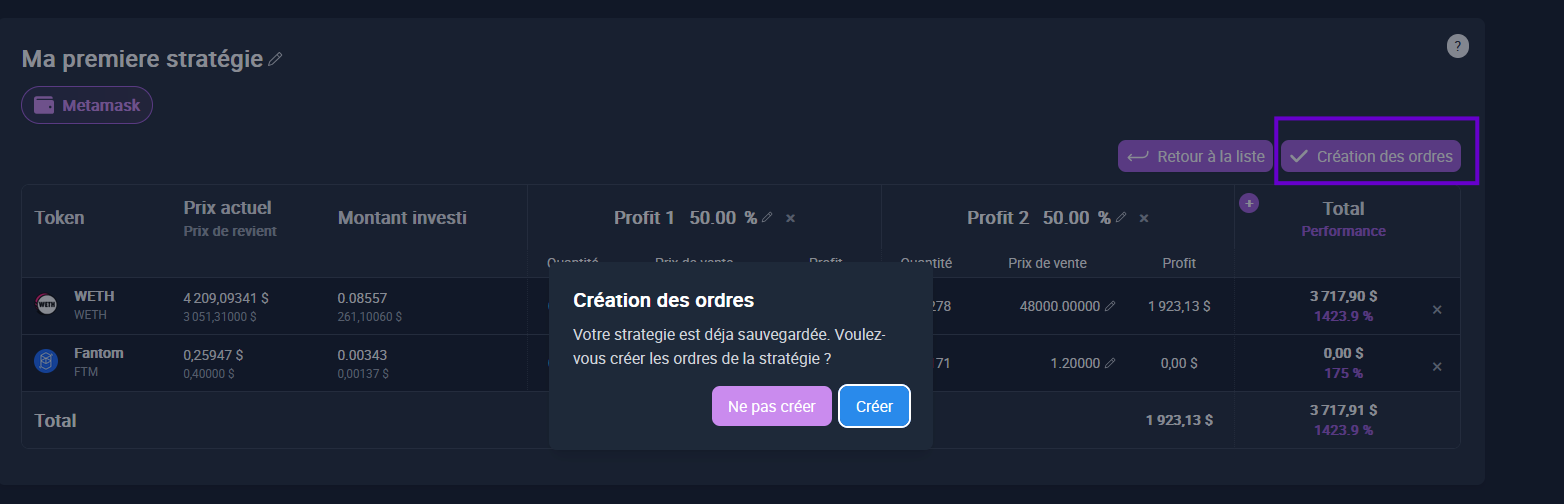
- These orders can then be viewed in wallet current orders.
Edit, duplicate or delete a strategy:
- Modify: Click on the pencil icon to change the settings at any time.

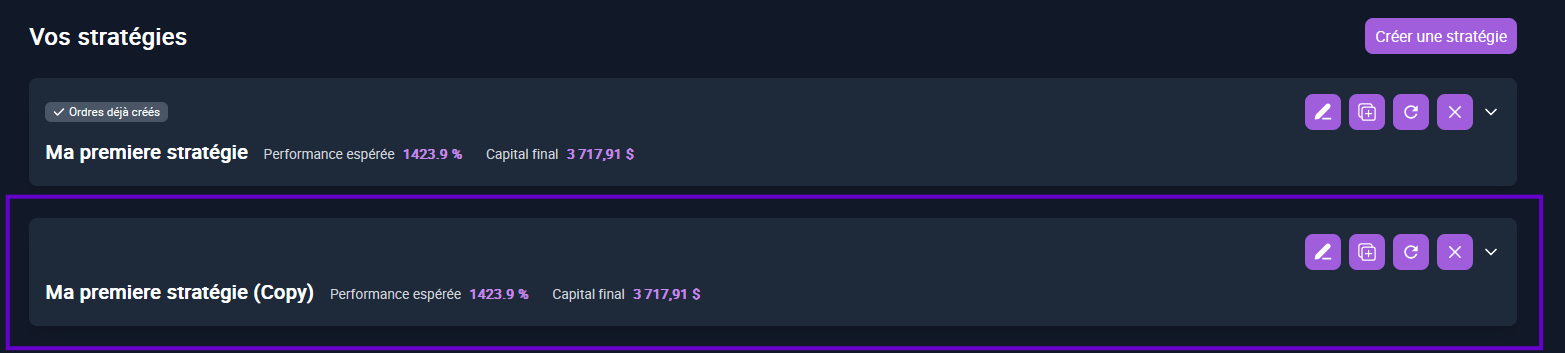
- Duplicate: In the strategies list, click on the duplication icon to create a copy.The principle remains identical.

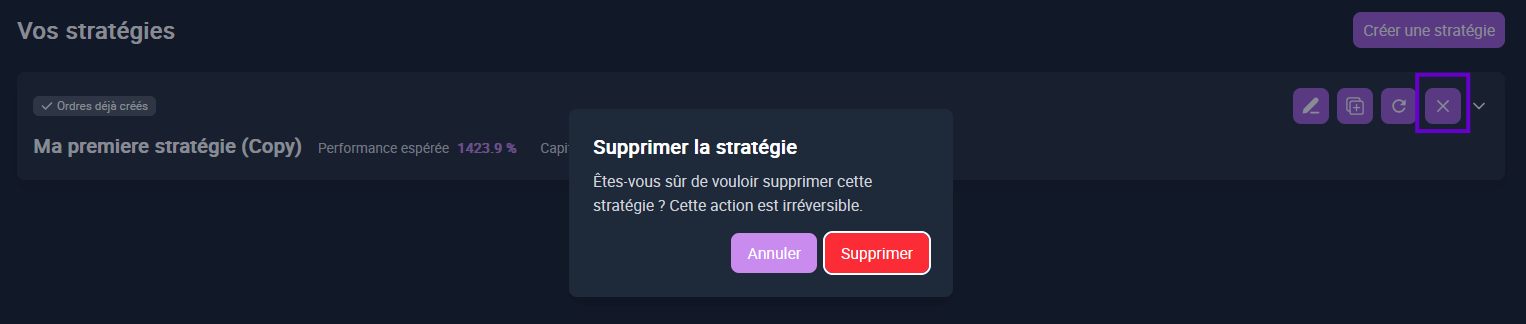
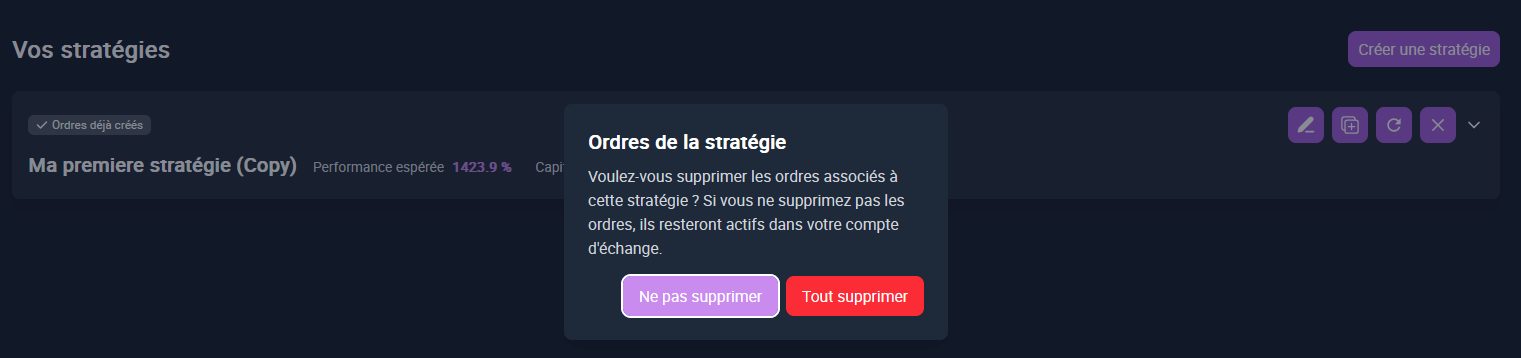
- Delete: If orders have already been created, a question will be asked to decide if you also want to delete associated orders.
Reload a strategy:
- The Recharging button allows you to update the assets if you have bought new tokens or sold some assets in the meantime.
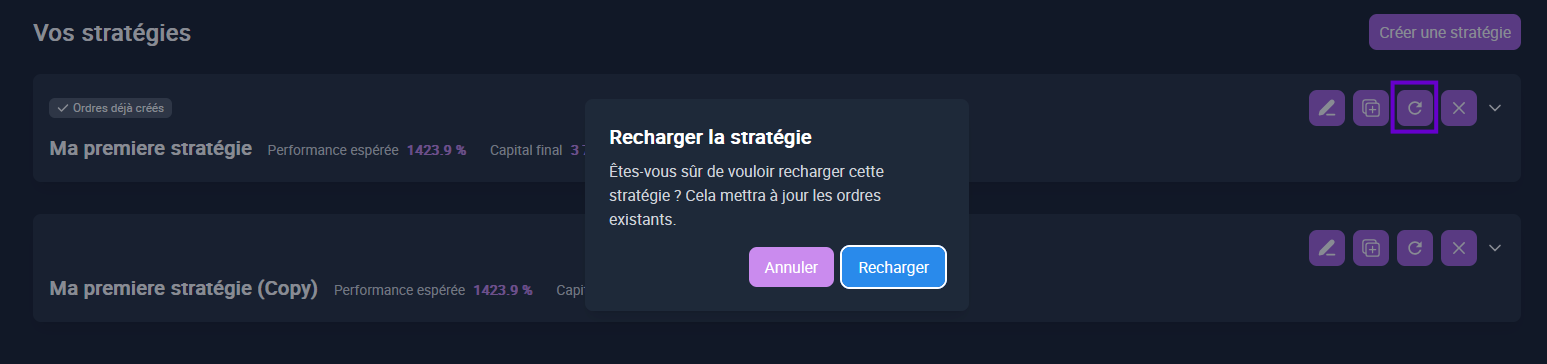
- ⚠️ All assets deleted previously will be reintegrated during recharging.
💡Tip: Using duplication and recharging allows you to test several variants of a strategy without losing your initial data.